
Stop Letting Good Leads
Slip Through The Cracks.
Lead pipeline, app access, contact import, calendar connection, business-email connection, appointment workflows.
Sticky notes and spreadsheets don't scale.
When you're busy running a business, keeping track of who needs a call back, who needs an estimate, and who is ready to book becomes a nightmare. Leads get lost in your email, text messages, and voicemails. When you forget to follow up, you are literally throwing money away.
Everything in one simple view.
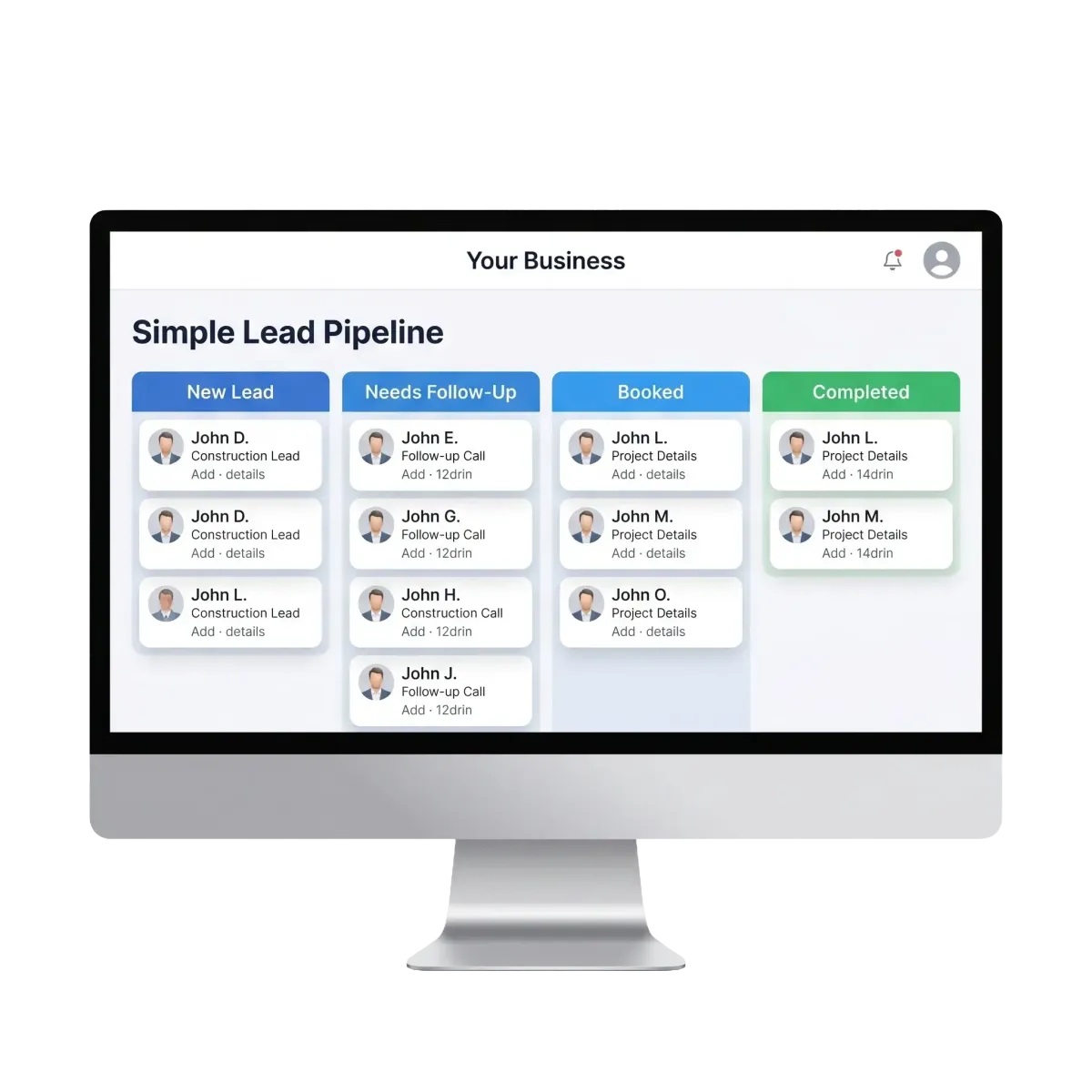
Our Optional Lead Dashboard organizes all your opportunities in one place. Every new call, form fill, and message automatically creates a contact in your pipeline. You can drag and drop leads through different stages so you always know exactly where everyone stands.
Visual drag-and-drop lead pipeline
App access & easy contact import
Calendar & business-email connection
Automated appointment workflows
The Process
How It Works
Lead Enters
A customer calls or fills out a form. They automatically appear in the 'New Lead' column of your pipeline.
You Follow Up
You contact the lead and drag their card to the 'Follow Up' or 'Estimate Sent' column.
Job Booked
When they agree to the work, you drag them to 'Won', triggering any automated review requests later.
Why It Matters
Why It Matters
Never Lose a Lead
Every inquiry is captured automatically. No more forgetting to call someone back.
Total Clarity
See exactly how many leads you have, where they are in the process, and what needs your attention today.
Save Hours Weekly
Stop digging through your phone to find that one guy who texted you about a quote last Tuesday.
Track Your Money
Assign values to leads so you can see exactly how much potential revenue is sitting in your pipeline.
Seamless Automation
Moving a lead to a new stage can automatically trigger emails, texts, or internal reminders.
Mobile Access
Manage your entire pipeline from your phone while you're out in the field.
The HVAC Contractor
An HVAC owner gets 5 calls a day during the summer rush. Instead of trying to remember who needs a quote and who needs a follow-up, every caller automatically pops into his 'New Lead' column. At the end of the day, he opens the app, sees 3 people waiting for estimates, sends them out, and drags them to 'Estimate Sent'. Two days later, he checks the pipeline, sees who hasn't replied, and follows up. Nothing gets missed.
Ready to upgrade your business?
Book a free demo today and we'll show you exactly how Optional Lead Dashboard can help you grow. Plus, we handle all the setup.